
All Categories
-
Car remote controls
-
OEM car key
-
Car key shells
- Enhanced key shell
-
Emergency&Flip key blade
- Motorcycle key shells
- Motorcycle key remotes
- Heavy machinery key
-
Car lock
- Car lock accessories
-
Locksmith tools
- Car&Motor Lishi 2 in 1
- Sided groove-Lishi 2 in 1 Inner groove-Lishi 2 in 1 Flat key-Lishi 2 in 1 Motorcycle Lishi 2 in 1
- Residential tools-①
- Wafer lock tool Cross lock tool Magnetic lock tool Specialized lock tool Straight shackle padlock tool
- Transponder Chip
- Keydiy Products
- VVDI/Xhorse Products
- KYDZ Products
-
Autel/Lonsdor/Yanhua/Others
- Car alarm /OBD diagnostic tools
-
Key protector/TPU/Key Cover
- Cutting Machine
Cart

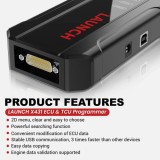
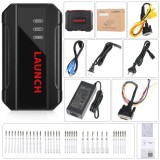

2025 Launch X-431 ECU & TCU Programmer Standalone Cloning Device 2D Menu for ECU Data Reading/Writing Support VGS4-0-NAG2 and VAG4-500-NAG2Item NO.: Launch-006
-
Customized Requirements
- Quantity
-
Stock ( 9999 )
-
- Product Name: 2025 Launch X-431 ECU & TCU Programmer Standalone Cloning Device 2D Menu for ECU Data Reading/Writing Support VGS4-0-NAG2 and VAG4-500-NAG2
- Item NO.: Launch-006
- Weight: 2.9 kg = 6.3934 lb = 102.2945 oz
- Volume: 3200 CBM
- Category: Autel/Lonsdor/Yanhua/Others > Launch programmer
- Creation Time: 2025-10-31
Launch X-431 ECU & TCU Programmer Standalone Cloning Device 2D Menu for ECU Data Reading/Writing
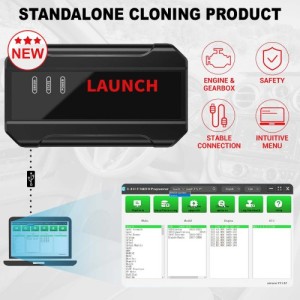
Launch X-431 ECU & TCU Programmer supports ECUs data reading & writing quickly, including reading the chip ID and backing up the EEPROM data, backing up the FLASH data and restoring EEPROM/FLASH data. There are two methods to read various vehicle brand ECUs info. The X-431 ECU & TCU Programmer also supports Data Processing, anti-theft shutdown and file verification.
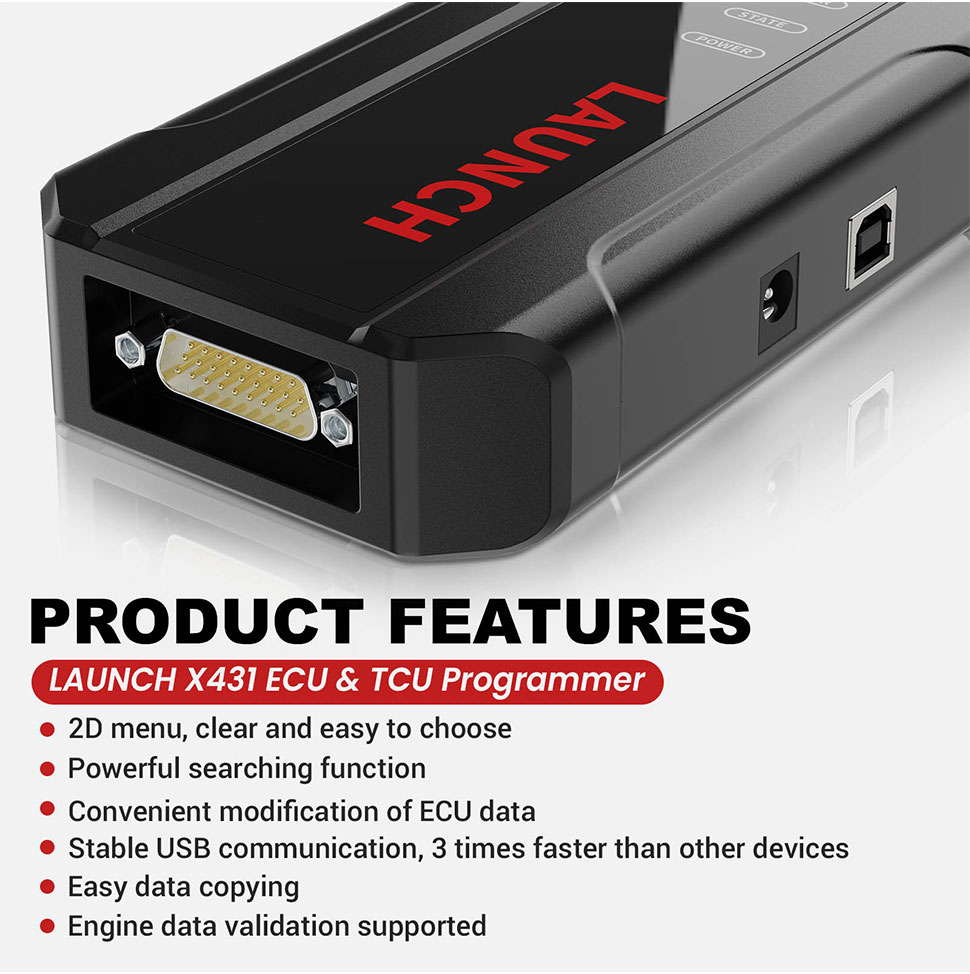
Product Features:1. 2D menu, clear and easy to choose2. Powerful search function3. Convenient modification of ECU data4. USB communication, with a speed more than three times that of Android devices, making it more stable5. Easy to copy data6. Support engine data validation function
7. One year free update,after one year, please pay One Year Online Update Service for Launch X-431 ECU & TCU Programmer
8. X-431 ECU TCU Programmer Support Function ListSoftware download link: https://en.cnlaunch.com/download
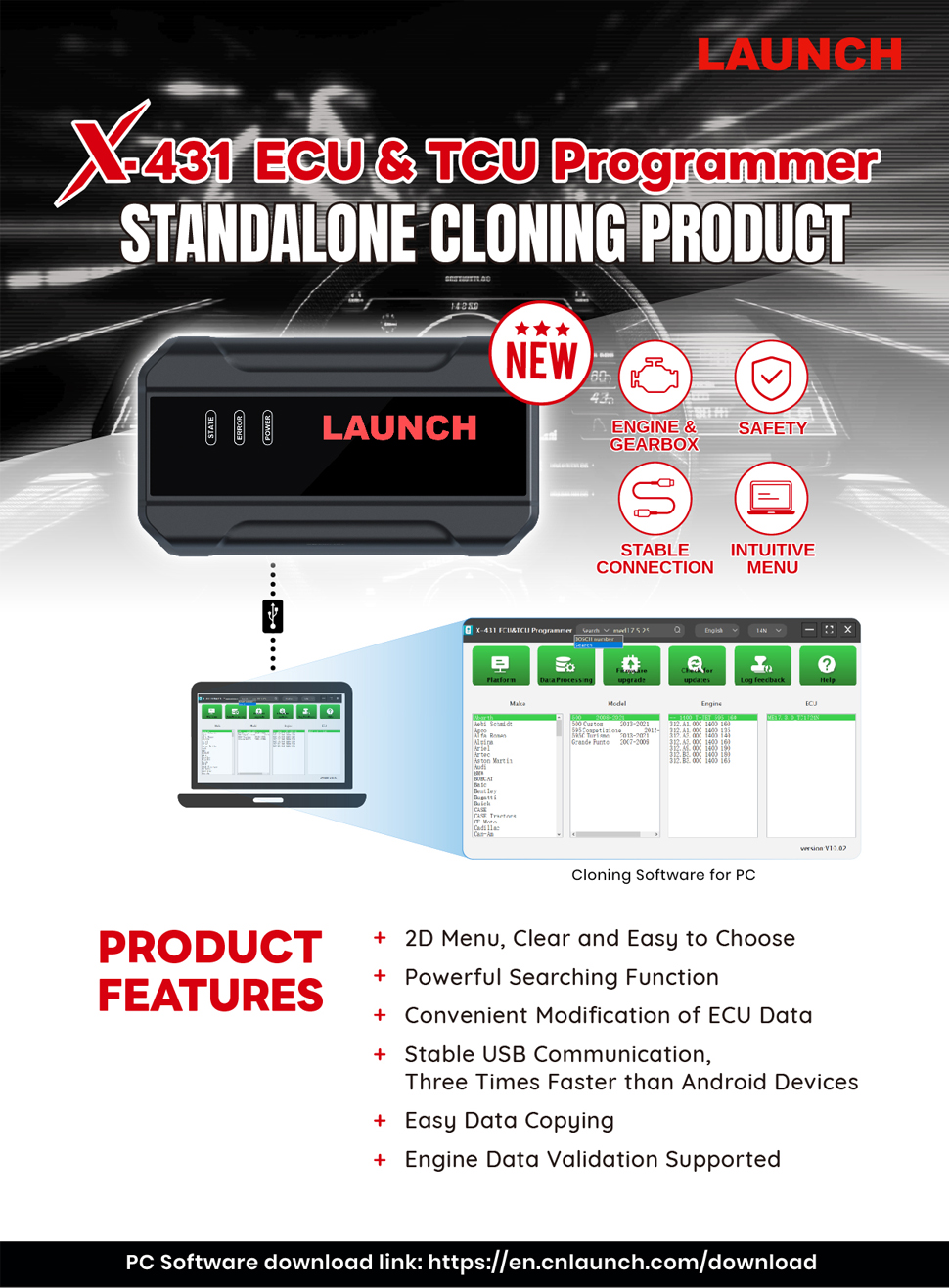
Launch X431 ECU Progarmmer Functions:
1. ECUs Data Reading & Writing quickly.
· Support two methods to read various vehicle brand ECUs info.
· Support Read the chip ID and Back up the EEPROM data.
· Support Back up the FLASH data and Restore EEPROM/FLASH data2. Support Data Processing, anti-theft shutdown and file verification.
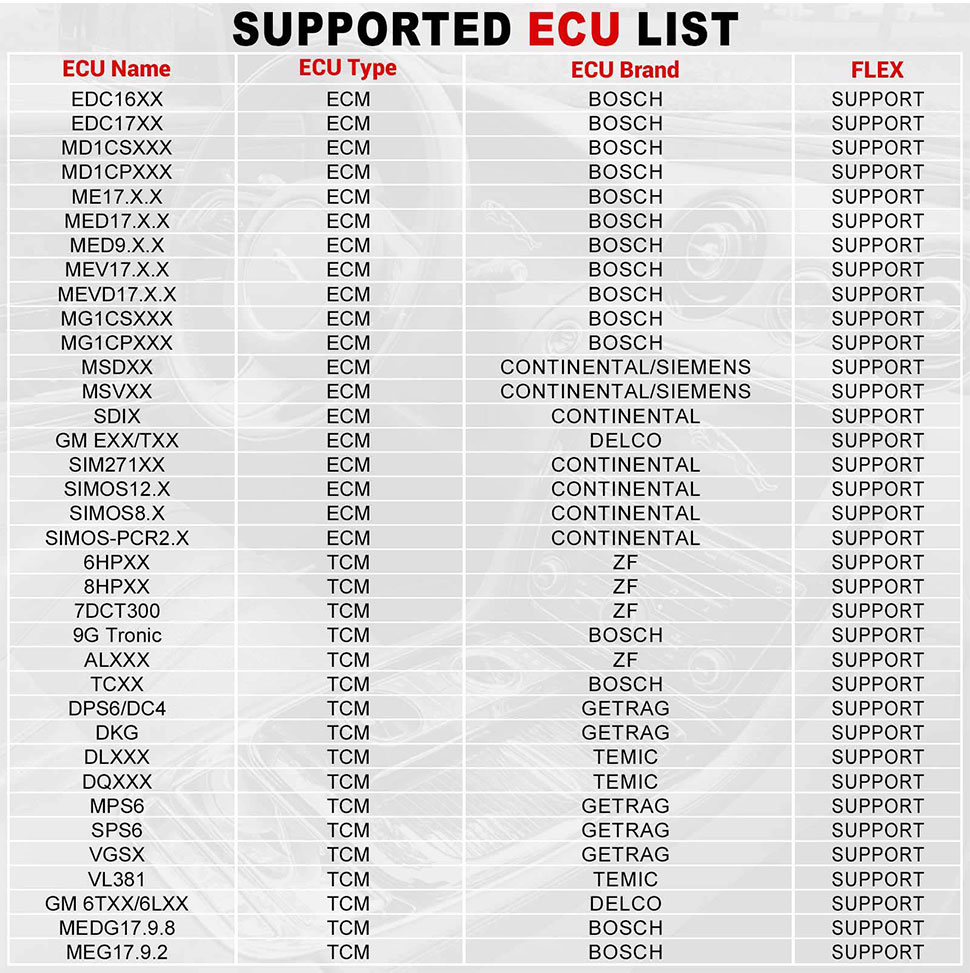
ECU Support list June 2023:
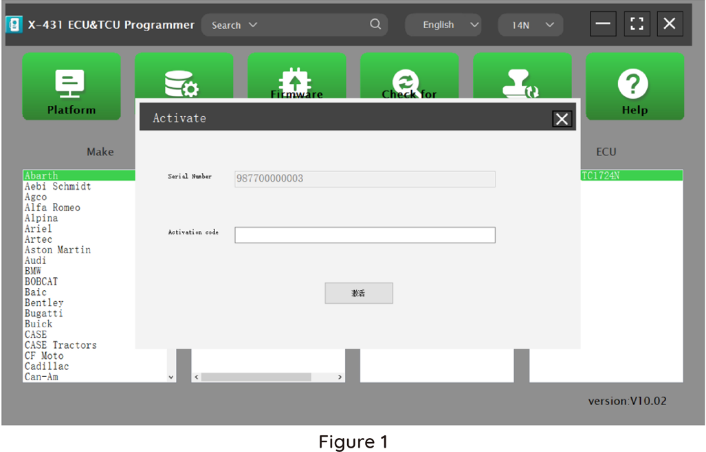
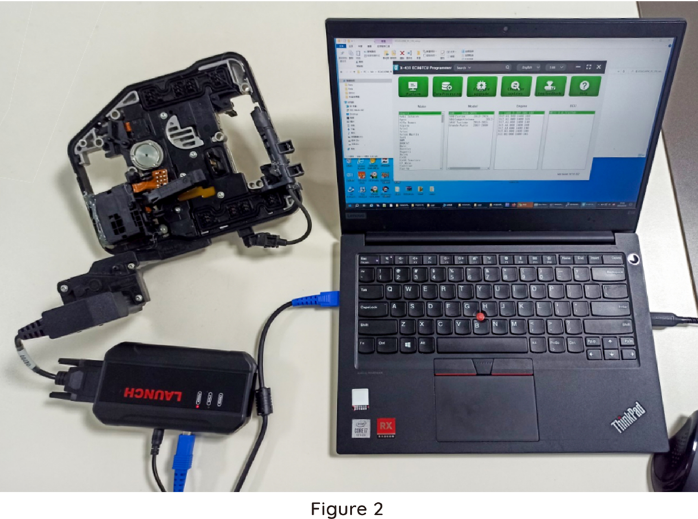
Launch X431 ECU TCU Programmer and PC Software Use Guide:Firstly, connect the X431 ECU &TCU Programmer to the computer with a cable. Then, click to enter the software. The serial number will be automatically recognized from the X-431 ECU &TCU Programmer, and the activation code needs to be obtained from the envelope bar of the X-431 ECU&TCU Programmer.
Click [Activate] to activate (only activate once, no need to activate again later), as shown in Figure 1. Without connection, you cannot access the software, as shown in Figure 2.
I. ECU Date Reading and Writing:
1. Obtain the related ECU.
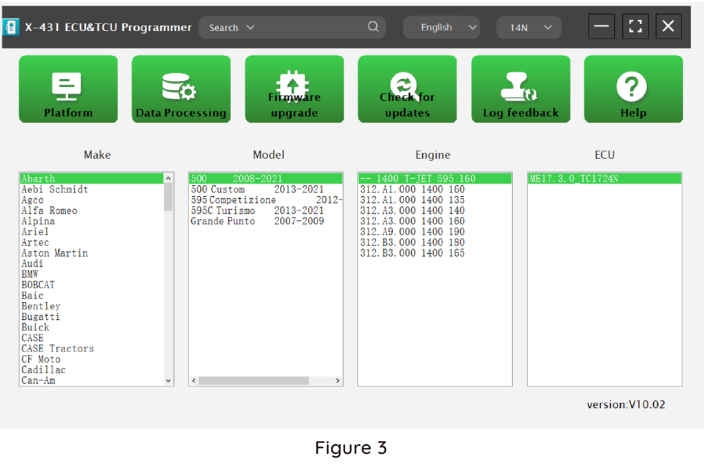
Method (1): Obtain the desired ECU type through brand > model > engine > ECU in turn, as shown in Figure 3.
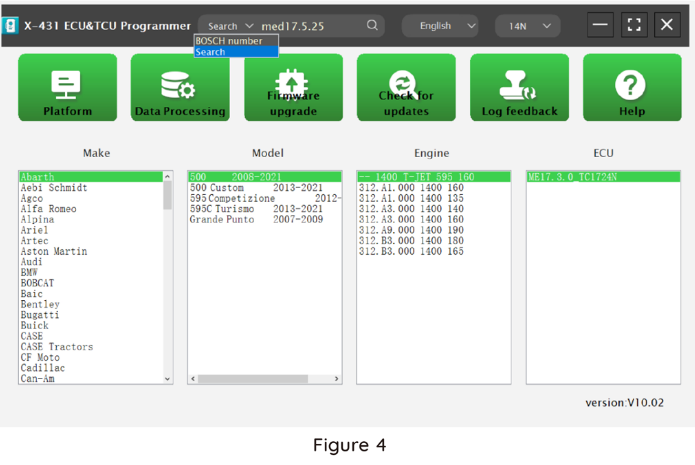
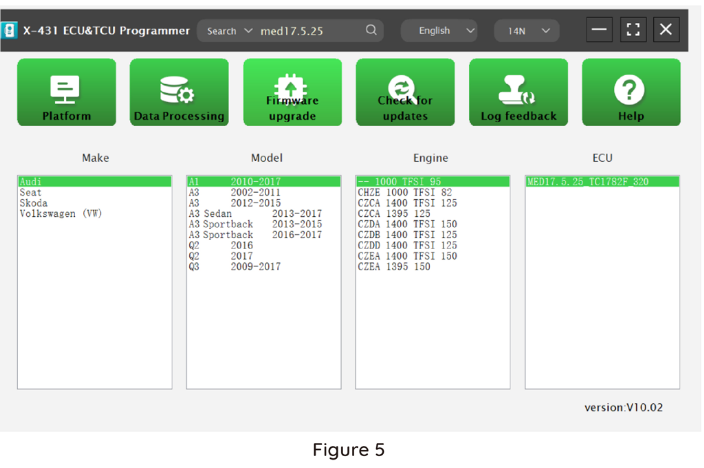
Method (2): Query the desired ECU by entering a value in the search box. The search categories include Bosch number and Search, as shown in Figure 4. For example, search for the MED17.5.25 engine by Search, as shown in Figure 5.
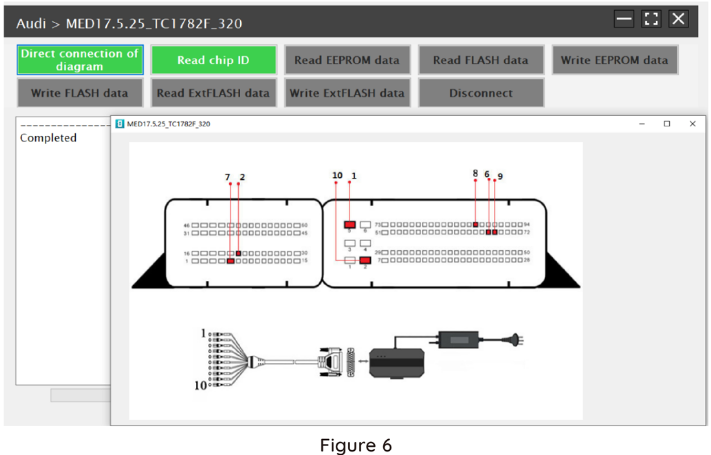
2.Click [Direct Connection Diagram] to obtain the ECU connection diagram, as shown in Figure 6.
3. Connection:
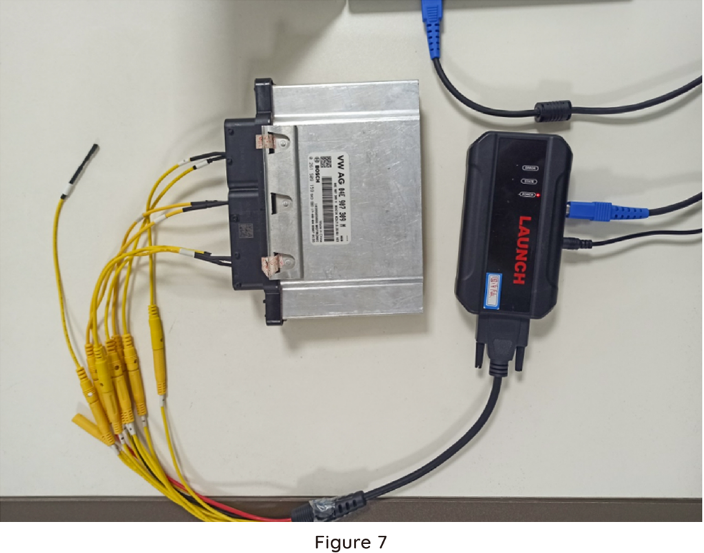
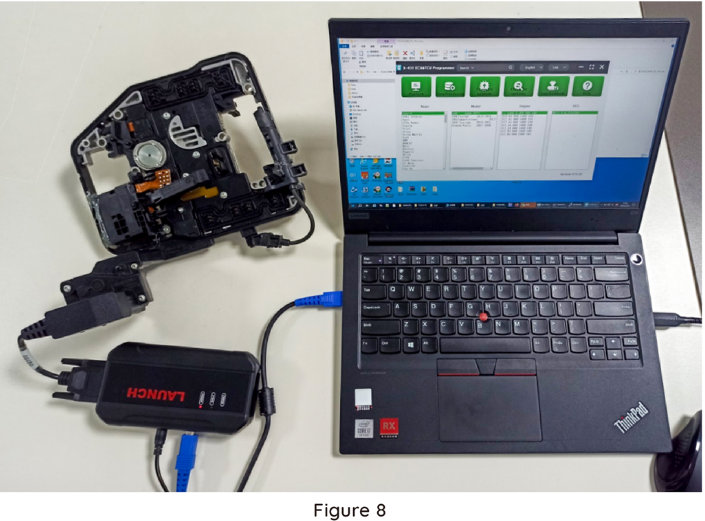
Connect the ECU and PCBOX according to the information provided in the connection diagram. The physical connection diagram of MED17 .5 .25 (using the BENCH mode line)is shown in Figure 7, and the physical connection diagram using the gearbox adapter is shown in Figure 8.
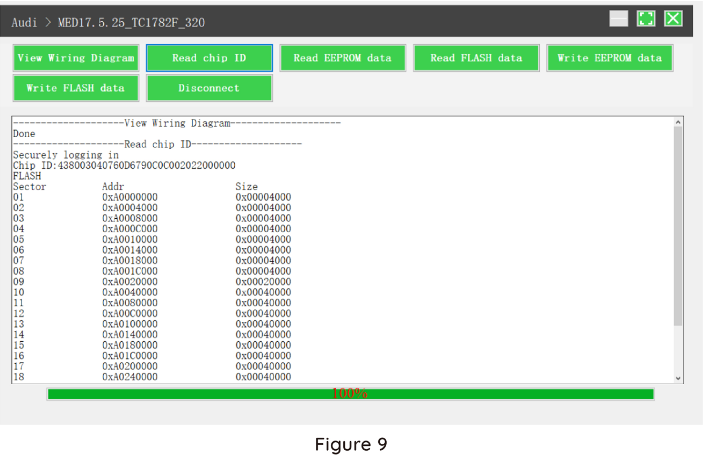
4. Read the chip ID, as shown in Figure 9.
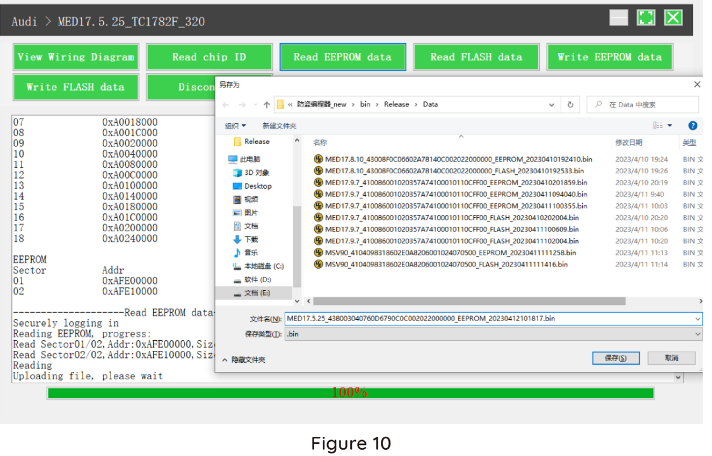
5. Back up the EEPROM data and save it, as shown in Figure 10 (the figure shows the save page of the read date).
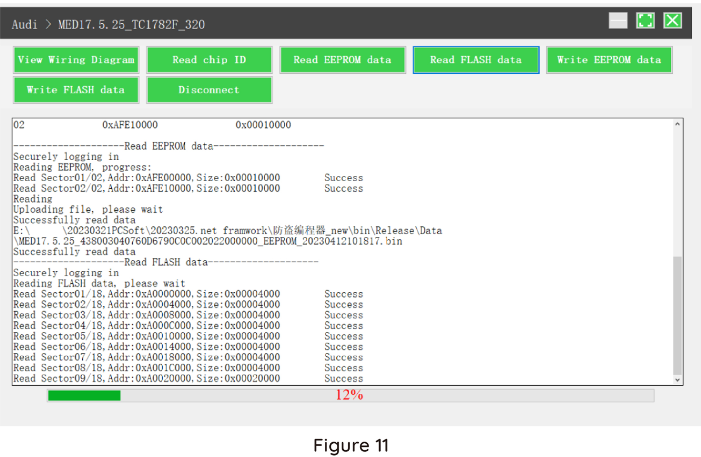
6. Back up the Flash date and save it, as shown in Figure 11 (the figure shows the process of reading FLASH date).
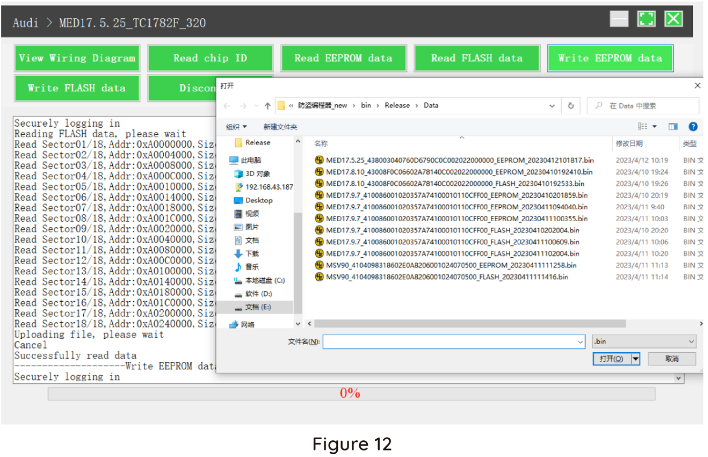
7. Restore EEPROM / FLASH date, as shown in Figure 12 (the figure shows the file selection page).
II. Date Processing
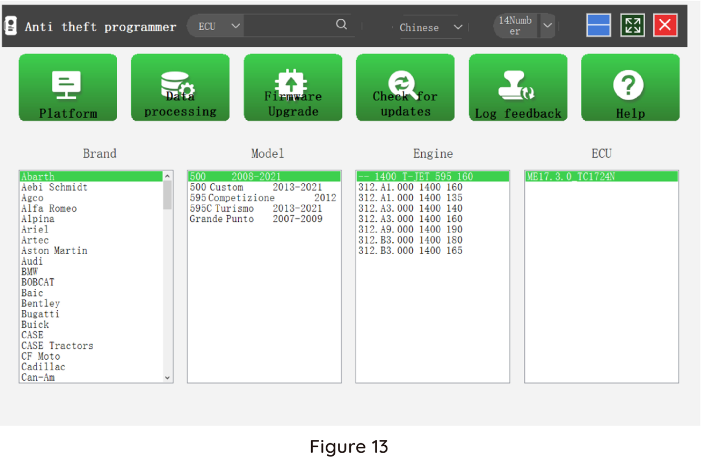
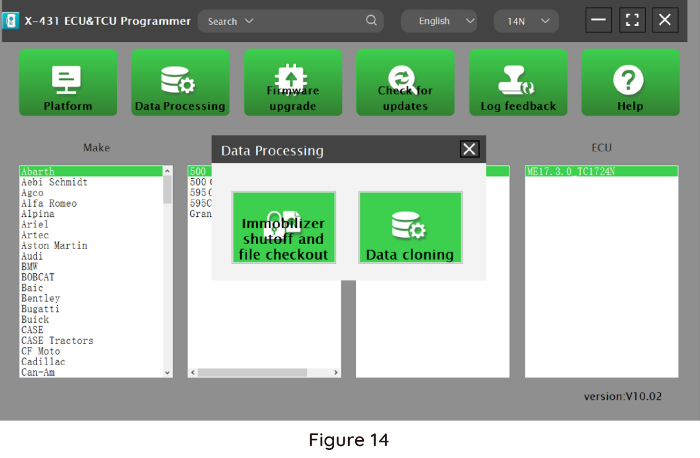
1. Click the [Date Processing] button on the main page, as shown in Figure 13, and select [IMMO Off and File Verification] ([DTC Shield] is not currently supported), as shown in Figure 14.
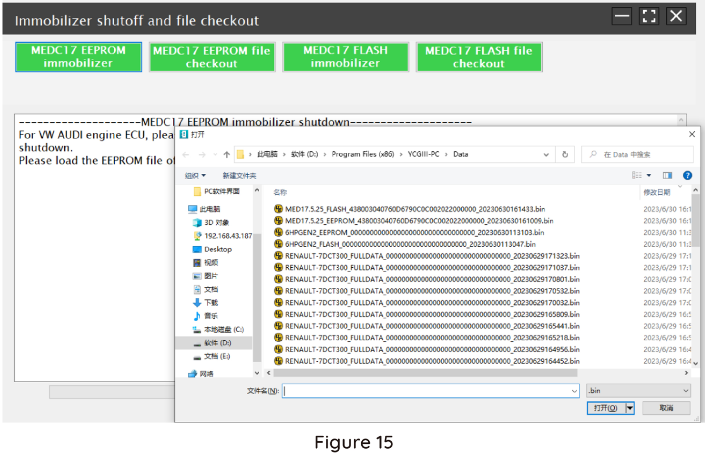
2. File verification and IMMO OFF (process: select file>connect network to obtain>save file), as shown in Figure 15.
Package Includes:
1pc x main unit
1pc x USB cable
1pc x MCU cable V1
1pc x Bench Mode Cable V2.0
6pcs x Matching adapters A
6pcs x Matching adapters B
6pcs x Matching adapters C
6pcs x Matching adapters D
6pcs x Matching adapters E
6pcs x Matching adapters F
1pc x switching power adapter
1pc x European power cord
1pc x user manual
1pc x packing list
1pc x password envelope
1pc x carrying case
You May Also Like





Recently Viewed
-

-
-

-
 (122#)blade,for C4L OriginalUS$ 0.32 ~ US$ 0.35
 -
-

-
 (36#)HYN11 blade,for Hyundai TucsonUS$ 0.32 ~ US$ 0.35
 -

-
 (5#)MIT8R Blade,for Changan Star Benben, etc.US$ 0.32 ~ US$ 0.35
 -
-

-
- Help center
- About Us
- Contact Us
- My order
- Change password
- About Shipping
- Shipping Methods
- About Payment
- Payment Methods
- About Return
- Return Policy&Return Method
- Newsletter
Customer Reviews