
All Categories
-
Car remote controls
-
OEM car key
-
Car key shells
- Enhanced&Upgraded key shell
-
Emergency&Flip key blade
- Motorcycle key shells
- Motorcycle key remotes
- Heavy machinery key
-
Nxp Killer & Apdaters
-
Car lock
- Car lock accessories
-
Locksmith tools
- Car&Motor Lishi 2 in 1
- Sided groove-Lishi 2 in 1 Inner groove-Lishi 2 in 1 Flat key-Lishi 2 in 1 Motorcycle Lishi 2 in 1
- Residential tools-①
- Wafer lock tool Cross lock tool Magnetic lock tool Specialized lock tool Straight shackle padlock tool
- Residential tools-②
- Bump key tool Peephole tool Remove sth tool Door gap insert tool lock forcing&Torsion tool
- Car tools
- Airbag Remove sth/Open car key tool Pry bar&Push hook Car quick open tool Car key duplication model
- Transponder Chip
- KYDZ Products
- Keydiy Products
- VVDI/Xhorse Products
-
Autel/Lonsdor/CGDI/Others
-
Key protector/TPU/Key Cover
- Cutting Machine
Cart



-
Customized Requirements
- Quantity
-
Stock ( 39999996 )

-
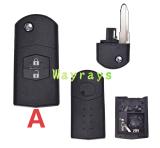
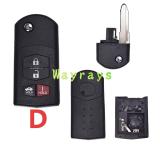
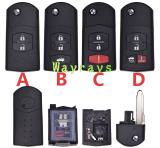
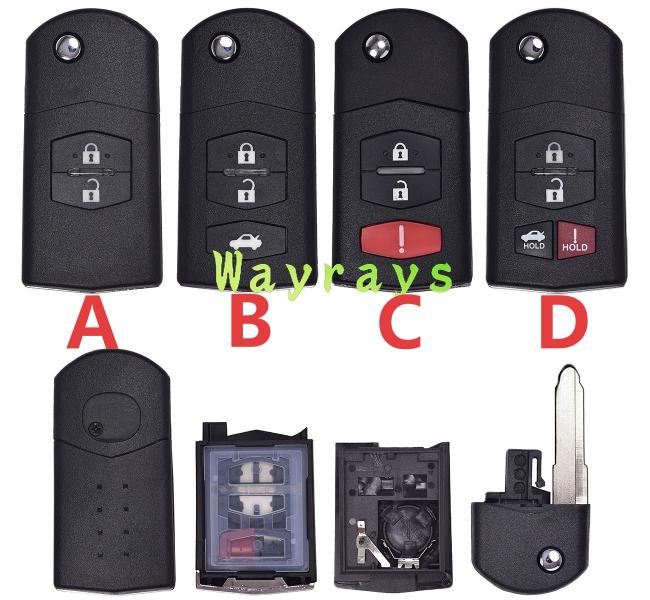
- Product Name: For Mazda key shell with oval logo place
- Item NO.: KZ-MAZ007LO
- Badge Place Options: With logo place
- Weight: 0.05 kg = 0.1102 lb = 1.7637 oz
- Category: Car key shells > For Mazda
- Brand: For Mazda
- Creation Time: 2025-06-18
In this video, we show you how to properly disassemble and assemble the folding key used on the Mazda 2, older Mazda 3, and older Mazda 6.
This step-by-step tutorial covers how to open the key shell, remove the remote PCB, disassemble the folding key mechanism, correctly install the spring, and reassemble the complete key.
Disassembly Steps
1. Eject the Mechanical Key
Press and hold the release button on the side of the key, then pull the metal key blade outward.2. Open the Key Shell
Use a small flat-head screwdriver and carefully insert it into the seam between the upper and lower parts of the key shell. Gently pry along the clips to separate the two halves.Do not use excessive force, as the plastic clips can easily break.
3. Remove the Remote PCB
After separating the key shell, carefully lift out the remote PCB from the lower housing.Be careful not to touch, bend, or damage the immobilizer/transponder chip on the board.
4. Disassemble the Folding Key Mechanism
Separate the key blade pivot, spring, and retaining clip.Pay close attention to the position and orientation of the spring. The spring can easily fly out during disassembly and may be lost.
Assembly Steps – The Key Point: Folding Spring
1. Install the Spring and Key Blade
Place the two spring legs into the corresponding slots in the housing.Align the key blade with the spring and rotate the key blade approximately 1–2 turns to preload the spring.
In general, around 1.5 turns provides a suitable spring tension for smooth key blade deployment.
Hold the spring in place and test whether the metal key blade can extend and retract smoothly. If the key does not pop out or retract properly, remove it and reinstall the spring until the mechanism works correctly.
2. Install the Remote PCB
Place the remote PCB securely into the lower part of the key housing.Make sure the PCB contacts are properly aligned with the rubber buttons. Keep the immobilizer/transponder chip in its original position and do not move it.
Then install the lower housing.
3. Close the Key Shell
Align the clips on one side first, then gradually press around the edges of the housing.You should hear the clips click into place. Make sure the housing is completely closed with no gaps or raised edges.
4. Test the Folding Mechanism and Remote
Press the release button several times and check that the metal key blade extends and folds smoothly.Then test the lock and unlock buttons to make sure they respond properly.
Important Notes
⚠️ 1. Be Careful with the Spring
The folding spring is the most important part to watch during disassembly and assembly. Work on a flat, clean surface because the spring can easily fly out and get lost.Do not preload the spring too much. Excessive spring tension can cause the key blade to deploy too forcefully and may damage the mechanism.
⚠️ 2. Do Not Force the Key Shell Open
Carefully work along the shell clips when opening the housing. Excessive force can break the plastic clips and prevent the key shell from closing properly.⚠️ 3. Compatibility
This tutorial is specifically for the Mazda 2, older Mazda 3, and older Mazda 6 folding key shown in the video.⚠️ 4. Final Testing
After assembly, first test the key blade and buttons. Then test the remote functions on the vehicle to make sure everything works correctly.⚠️ 5. Battery Replacement
If you only need to replace the battery, you do not need to completely disassemble the folding spring mechanism. Simply open the battery cover/rear housing as required. There is no need to remove the entire folding mechanism.Applicable Models
-
Mazda 2
-
Mazda 3 – older models
-
Mazda 6 – older models
This video is useful for automotive locksmiths, key technicians, and anyone working with Mazda folding keys and key shell replacement.
#Mazda2 #Mazda3 #Mazda6 #MazdaKey #MazdaKeyShell #KeyShellReplacement #CarKey #AutoLocksmith #KeyProgramming
You May Also Like
Recently Viewed
-
-
-
![[European version] For Benz key shell without logo](https://cdn.staticyy.com/100611/2025/09/27/5/e/5ec8bc19e8bf6aa8.jpg?x-oss-process=image/quality,Q_90/auto-orient,1/resize,m_lfit,w_500,h_500 "[European version] For Benz key shell without logo") [European version] For Benz key shell without ...US$ 5.28 ~ US$ 6.00
[European version] For Benz key shell without ...US$ 5.28 ~ US$ 6.00 -
![[with logo place]For MV Agusta motorcycle key shells,MV800 750 920 1000 F3 F4,please choose the color,](https://cdn.staticyy.com/100611/2026/09/07/5/4/54824c1cdb621807.jpg?x-oss-process=image/quality,Q_90/auto-orient,1/resize,m_lfit,w_500,h_500 "[with logo place]For MV Agusta motorcycle key shells,MV800 750 920 1000 F3 F4,please choose the color,")
-
-

-
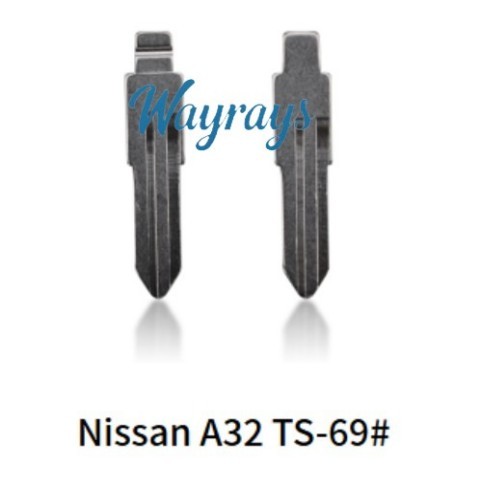 Keydiy (TS-69#)blade,for Nissan cefiroUS$ 0.29 ~ US$ 0.35
 -
![[Only the key rubber pad part] For Buick](https://cdn.staticyy.com/100611/2025/08/06/9/0/90e1cca5848d7784.jpg?x-oss-process=image/quality,Q_90/auto-orient,1/resize,m_lfit,w_500,h_500 "[Only the key rubber pad part] For Buick")
-
-
-
-

- Help center
- About Us
- Contact Us
- My order
- Change password
- About Shipping
- Shipping Methods
- About Payment
- Payment Methods
- About Return
- Return Policy&Return Method
- Newsletter
Customer Reviews