
All Categories
-
Car remote controls
-
OEM car key
-
Car key shells
- Enhanced key shell
-
Emergency&Flip key blade
- Motorcycle key shells
- Motorcycle key remotes
- Heavy machinery key
-
Car lock
- Car lock accessories
-
Locksmith tools
- Car&Motor Lishi 2 in 1
- Sided groove-Lishi 2 in 1 Inner groove-Lishi 2 in 1 Flat key-Lishi 2 in 1 Motorcycle Lishi 2 in 1
- Residential tools-①
- Wafer lock tool Cross lock tool Magnetic lock tool Specialized lock tool Straight shackle padlock tool
- Transponder Chip
- Keydiy Products
- VVDI/Xhorse Products
- KYDZ Products
-
Autel/Lonsdor/Yanhua/Others
- Car alarm /OBD diagnostic tools
-
Key protector/TPU/Key Cover
- Cutting Machine
Cart

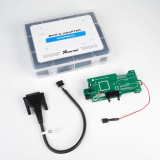
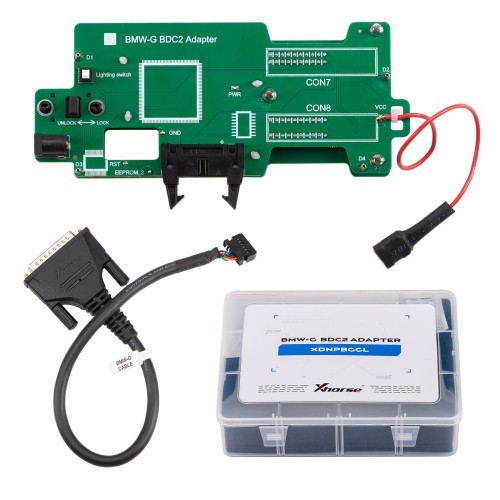
XDNPBGGL Xhorse BMW G Series BDC2 Adapter with Free Software License for VVDI Key Tool Plus, VVDI2 and Key Tool MIDIItem NO.: VVDI-SPQ080
-
Customized Requirements
- Quantity
-
Stock ( 20 )

-
- Product Name: XDNPBGGL Xhorse BMW G Series BDC2 Adapter with Free Software License for VVDI Key Tool Plus, VVDI2 and Key Tool MIDI
- Item NO.: VVDI-SPQ080
- Weight: 0.2 kg = 0.4409 lb = 7.0548 oz
- Volume: 420 CBM
- Category: VVDI/Xhorse Products > VVDI Adapter
- Creation Time: 2025-09-25
Highlights:
1. BMW G series BDC2 add key on bench.
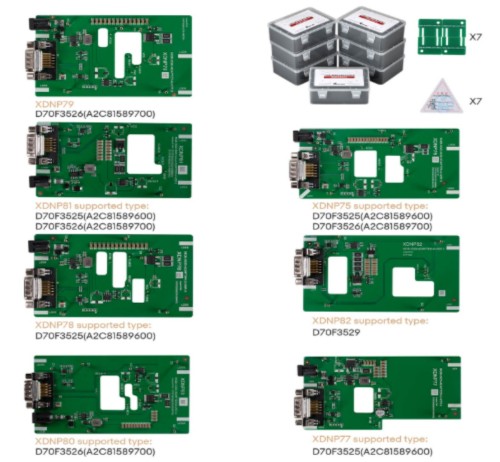
2. Work with Key Tool Plus PAD, VVDI2 and MIDI Advanced Version.
3. To learn and verify the key, install the BDC2 in the car or use a test bench like GODIAG BDC2 Test Platform
3. Get Free Activation of the BMW G-chassis-BDC2 IMMO from July 31, 2025 until August 14, 2025. ( Please Leave Serial Number )
Additional Important Information:
1. Free BMW G-chassis-BDC2 immo system activation is included with the purchase of an adapter for pre-orders only.
2. The pre-order period runs from today (July 31, 2025) until August 14, 2025.
3. Please note: Activation after the pre-order period ends will require payment (Cost $30)

Vehicle List:
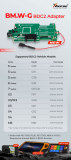
5 Series (G30/G31/G38) 2016.11-2020.8
6 Series (G32) 2017.7-2020.6
7 Series (G11/G12) 2015.7-2019.2
X3 (G01/G08/F97) 2017.12-2021.8
X4 (G02/F98) 2018.4-2021.7
M5 (F90) November 2017.11-2020.6
Rolls-Royce 2018-

How to connect Xhorse BMW-G BDC2 Adapter?
1. Align the 3 positioning pins with the corresponding holes on the chassis.
2. Press down firmly on th adapter at the CON7/CON8 locations until it is fully seated.
3. Verify the accurate positioning of the RST/EEPROM_2/GND pins.
4. Slide the adapter latch to the LOCK position.

You May Also Like





Recently Viewed
-
-

-
-
![[2 parts] For Ford key shell with logo place](https://cdn.staticyy.com/100611/2025/06/16/4/6/466fef0090f99feb.png?x-oss-process=image/quality,Q_90/auto-orient,1/resize,m_lfit,w_500,h_500 "[2 parts] For Ford key shell with logo place")
-
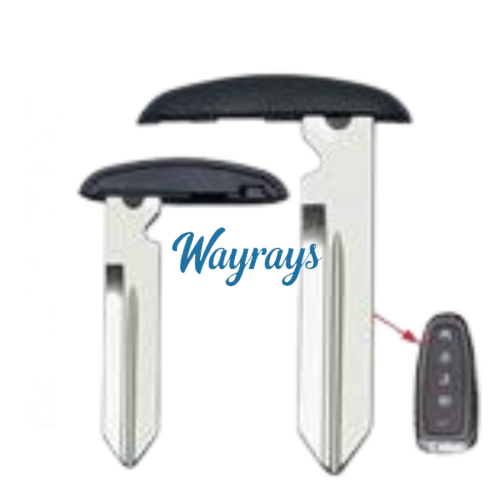 For Ford emergency key bladeUS$ 1.00
 -
 For BMW G series Regular transplant type FSK 43...US$ 18.90 US$ 21.00
 -
![[with logo] For Ducati motorcycle key shells](https://cdn.staticyy.com/100611/2025/11/12/1/8/18646ed1e3e701a8.jpg?x-oss-process=image/quality,Q_90/auto-orient,1/resize,m_lfit,w_500,h_500 "[with logo] For Ducati motorcycle key shells")
-

-

-
-

-

- Help center
- About Us
- Contact Us
- My order
- Change password
- About Shipping
- Shipping Methods
- About Payment
- Payment Methods
- About Return
- Return Policy&Return Method
- Newsletter
Customer Reviews