
All Categories
-
Car remote controls
-
OEM car key
-
Car key shells
- Enhanced key shell
-
Emergency&Flip key blade
- Motorcycle key shells
- Motorcycle key remotes
- Heavy machinery key
-
Car lock
- Car lock accessories
-
Locksmith tools
- Car&Motor Lishi 2 in 1
- Sided groove-Lishi 2 in 1 Inner groove-Lishi 2 in 1 Flat key-Lishi 2 in 1 Motorcycle Lishi 2 in 1
- Residential tools-①
- Wafer lock tool Cross lock tool Magnetic lock tool Specialized lock tool Straight shackle padlock tool
- Transponder Chip
- Keydiy Products
- VVDI/Xhorse Products
- KYDZ Products
-
Autel/Lonsdor/Yanhua/Others
- Car alarm /OBD diagnostic tools
-
Key protector/TPU/Key Cover
- Cutting Machine
Cart
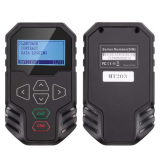
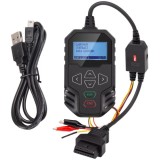

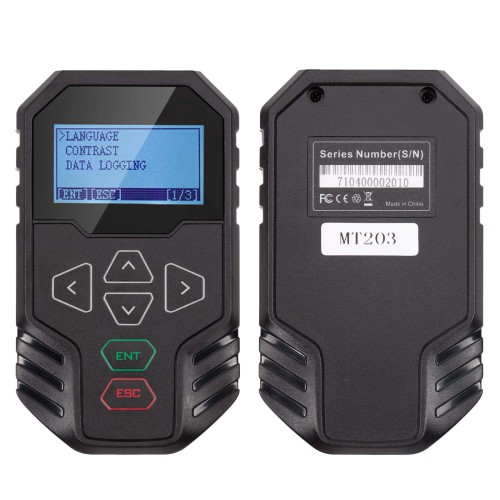
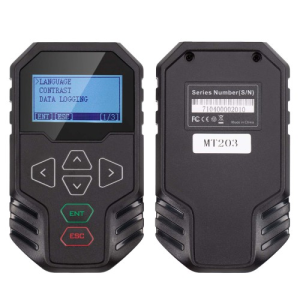
OBDSTAR MT203 CAN Driver/Gateway Simulator. Support Dash, Audio, Gear Lever, AC Panel and Other Test FunctionsItem NO.: OBDSTAR-004
-
Customized Requirements
- Quantity
-
Stock ( 9999999 )
-
- Product Name: OBDSTAR MT203 CAN Driver/Gateway Simulator. Support Dash, Audio, Gear Lever, AC Panel and Other Test Functions
- Item NO.: OBDSTAR-004
- Weight: 0.3 kg = 0.6614 lb = 10.5822 oz
- Volume: 350 CBM
- Category: Autel/Lonsdor/Yanhua/Others > OBDSTAR programme
- Creation Time: 2025-10-29
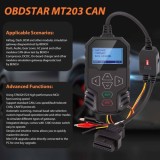
OBDSTAR MT203 Features:
1. Using STM32H723 high-performance MCU, fast running speed;
2. Support standard CAN, Low speed(fault-tolerant CAN), CANFD protocols:
3. Automatic scanning, manual baud rate selection, custom input baud operation;rate and other modes to simulate different types of gateways;
4. Integrated design, comes with 120Ω resistor switch, easy to operate;
5.Simple and intuitive menu allows you to quickly master the device;
6. Mini USB upgrade cable directly connected to the PC for one-key upgrade
Applicable Maintenance Scenarios:
Automotive electronic ECU repair (Airbag, Dash, BCM and other modules simulation gateway diagnostictest by BENCH)
Automotive electronic ECU repair (Dash, Audio, Gear Lever, AC panel and other modules CAN drive test by BEHCH)
E-Car components repair (Compressor, DCDC, On-board charger and other modules simulation gateway diagnostic test by BENCH)
Supports Dash, Audio, Gear Lever, AC Panel and other test functions for below models:
for AUDI, for FORD, for PORSCHE, for BENZ, for JAGUAR, for ROLLS-ROYCE, for BMW, for LAMBORGHINI, for VOLKSWAGEN, for DODGE, for LAND ROVER, for VOLVO.
OBDSTAR MT203 Supported Protocol Types/Functions:
1. Gateway Supported Protocols
Standard CAN/Standard CAN
500K/250K 500K/125K
Custom Baud Rate
Standard CAN/Tolerant CAN
500K/83.3K
500K/100K
500K/125K
125K/125K
Custom Baud Rate
Standard CAN/CAN FD
500K/5M
500K/2M
Custom Baud Rate2. CAN Driver Supported Functions
Supports Dash, Audio, Gear Lever, AC Panel and other test functions for AUDI, BENZ, BMW, DODGE, FORD, JAGUAR, LAMBORGHINI, LAND ROVER, PORSCHE, ROLLS-ROYCE, VOLKSWAGEN, VOLVO and other brands.
Function Display: (From OBDSTAR APP)
Main Page:

Gear Lever Pinout:

Dash Pinout:

Radio Pinout:

OBDSTAR MT203 FAQs:Q: Can the device be upgraded?
A: Yes, you can download the software from the official website "Service-Download-One Click Upgrade Tool", and then connect the device to the computer with USB to upgrade it.Q: Why does the automatic scanning fail?
A: The success of the automatic scanning depends on a number of factors:1. Make sure that the diagnostic instrument and ECU are connected correctly first, and the ECU is powered up before the automatic scanning is performed;
2. ECU power on for a period of time (a few seconds or minutes) did not communicate, may enter the hibernation mode, can not communicate, need to re-power on;
3. Part of the ECU will not take the initiative to send CAN signals, at this time you need to manually set the device;
4. CANFD currently doesn't support automatic scanning, please set it manually.Q: Where to check the wiring diagram of CAN driver?
A: You can download the OBDSTAR APP from the Apple Store and Google Play Store. There are wiring diagrams for Dash, Audio, Gear Lever, etc. in the APP.Q: What does the 120Ω resistor do?
A: If the ECU itself does not come with a 120Ω resistor, you need to switch the unit's resistor switch to ON for the CAN line to communicate properly.Q: Is the Flexray protocol supported?
A: It is not supported.
Package includes:
1pc x OBDSTAR MT203 main unit
1pc x Mini USB upgrade cable
You May Also Like



Recently Viewed
-
![[No logo] For BMW motorcycle key shells,please choose the color](https://cdn.staticyy.com/100611/2025/11/12/8/c/8cf559c34b80168b.jpg?x-oss-process=image/quality,Q_90/auto-orient,1/resize,m_lfit,w_500,h_500 "[No logo] For BMW motorcycle key shells,please choose the color")
-
-
 For Opel key shell with logo placeUS$ 35.00
 -

-

-
 For Chevrolet key shell without logoUS$ 0.00
 -

-

-
![[Model ①] For Toyota key shell with oval logo place, the black model is cheaper,also use for VVDI](https://cdn.staticyy.com/100611/2025/11/01/f/7/f761aa16f2a1a0fc.jpg?x-oss-process=image/quality,Q_90/auto-orient,1/resize,m_lfit,w_500,h_500 "[Model ①] For Toyota key shell with oval logo place, the black model is cheaper,also use for VVDI")
-
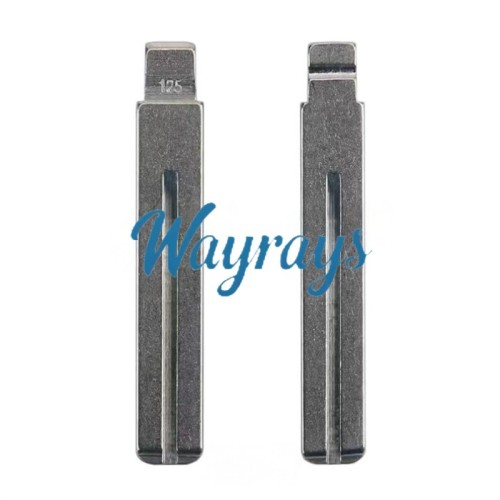 (125#)blade,for New C30 OriginalUS$ 0.32 ~ US$ 0.35
 -
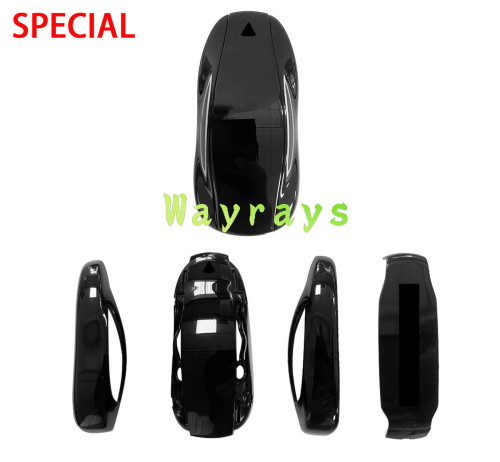 For Aftermarket Tesla model x key shell with OE...US$ 7.20 ~ US$ 9.00
 -
![[Use for narrow PCB] For Citroen Peugeot key shell without logo](https://cdn.staticyy.com/100611/2026/05/23/7/5/7501674e41b7cbcd.jpg?x-oss-process=image/quality,Q_90/auto-orient,1/resize,m_lfit,w_500,h_500 "[Use for narrow PCB] For Citroen Peugeot key shell without logo")
- Help center
- About Us
- Contact Us
- My order
- Change password
- About Shipping
- Shipping Methods
- About Payment
- Payment Methods
- About Return
- Return Policy&Return Method
- Newsletter
Customer Reviews