
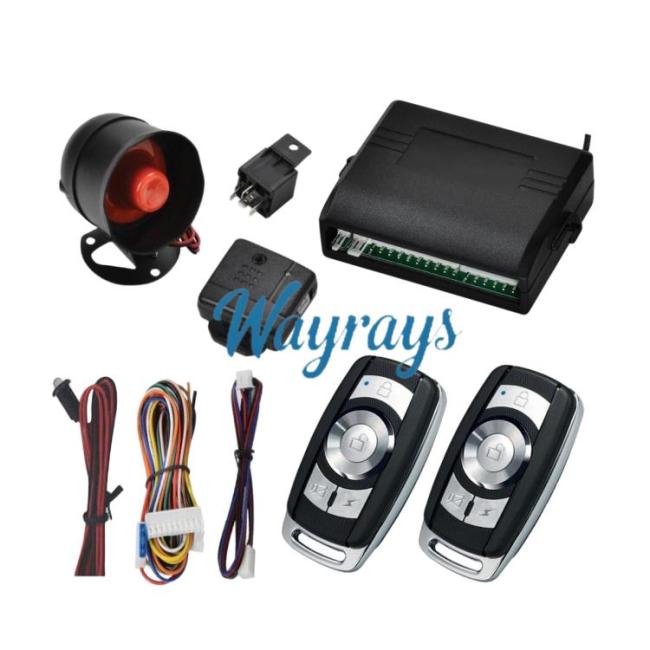
Universal 12V keyless car alarm system with remote central locking and keyless entryItem NO.: FDQ-QC006
- Quantity
-

-
- Product Name: Universal 12V keyless car alarm system with remote central locking and keyless entry
- Item NO.: FDQ-QC006
- Weight: 0.081 kg = 0.1786 lb = 2.8572 oz
- Volume: 58 CBM
- Category: Car alarm /OBD diagnostic tools > Anti-theft device > For Cars
- Creation Time: 2026-01-12


Product Function Description
1. Anti-theft:
a. Audible and Visual Anti-theft: Press the lock button, the horn sounds once, the lights flash once, the central locking system locks, and after 5 seconds the LED light flashes, entering the anti-theft alert state.
b. Silent Anti-theft: Press the silent button, the lights flash once, the central locking system locks, and after 5 seconds the LED light flashes, entering the anti-theft alert state. In silent anti-theft mode, vibration alarms do not trigger the horn.
2. Disarming the Anti-theft System:
Press the unlock button, the horn sounds twice, the lights flash twice, the central door locks unlock, and the anti-theft alert is deactivated.
3. Emergency Alarm:
In the anti-theft state, if the door is opened, or the ACC is turned ON, or the brake pedal is pressed, an alarm will be triggered, the horn will sound, the lights will flash, and the car will be unable to start. The alarm will stop after 15 seconds if the trigger is released.
4. Trunk:
a. Long press the unlock button for 2 seconds to open the trunk. When armed, long pressing the unlock button for 2 seconds will open the trunk and simultaneously disarm the anti-theft system.
b. Long press the trunk button for 2 seconds to open the trunk; (Fifth button)
5. Anti-hijacking Mode: (Programmable, see programming table item 9)
a. While driving, long press the silent button for 2 seconds. The lights flash rapidly to indicate preparation for entering anti-hijacking mode. Press the lock button or the car search button to enter anti-hijacking mode, the lights flash rapidly, the horn sounds, (if the lock button or car search button is pressed again immediately, the engine will shut down immediately) After 40 seconds the engine shuts down, only pressing the unlock button can exit the anti-hijacking mode (system default).
b. While driving, long press the silent button for 2 seconds. The lights flash rapidly to indicate preparation for entering anti-hijacking mode. Press the lock button or the car search button to enter anti-hijacking mode, the lights flash rapidly, the horn sounds, and the engine will not shut down. Only pressing the unlock button can exit anti-theft mode (refer to programming item 9 for programming options).
6. Automatic Anti-theft (Programmable, Programming Table Items 2 and 6)
a. After parking and turning off the engine, close the car doors. If no action is taken with the remote control, the horn will sound three times after 20 seconds to indicate anti-theft activation. After another 10 seconds, the system will automatically enter anti-theft mode, but the car doors will not lock. (System default)
b. After parking and turning off the engine, close the car doors. If no action is taken with the remote control, the horn will sound three times after 20 seconds to indicate anti-theft activation. After another 10 seconds, the system will automatically enter anti-theft mode and the car doors will automatically lock. (Refer to programming item 6 for programming options).
c. After parking and turning off the engine, close the car doors. If no action is taken with the remote control, the system will not automatically activate anti-theft. (Refer to programming item 2 for programming options).
7. Secondary Anti-theft (Programmable, Programming Table Item 5)
a. After disarming the anti-theft system, if no action is taken within 30 seconds, the system will determine it was a false disarm and will re-enter anti-theft mode. (System default)
b. After disarming the anti-theft system, the system will not take any further action. (Refer to programming item 5 for programming options)
8. Power-off Memory
If the power is cut off while in anti-theft mode, the system will automatically enter anti-theft mode after power is restored.
9. Door Closing Reminder
After arming the system, if a door is not closed properly, an alarm will sound after 60 seconds. In this case, you should first disarm the anti-theft system, close the door properly, and then re-arm the system.
10. Door Opening Reminder (Programmable, Programming Table Item 7)
In unlock mode, regardless of whether the car is started, the turn signals will flash for 15 seconds after a door is opened. (System default, the door opening flashing mode can be turned off)
11. Central Locking Automation (Programmable, Programming Table Items 3 and 4)
a. While driving, pressing the unlock and lock buttons can unlock and lock the doors, but it will not trigger the anti-theft system (the doors will not unlock or lock if they are not closed properly).
b. Before driving, close the doors, turn the ACC to ON, press the brake pedal, and the central locking system will lock after 15 seconds. When the ACC is turned OFF and the key is removed, the central locking system will automatically unlock. With the ACC in the ON position, open and close the door, press the brake pedal, and the central locking system will lock.
If the door is not closed properly or the ACC is not in the ON position, it will not lock.
1. Cancel automatic locking (Refer to programming option 3)
2. Cancel automatic unlocking (Refer to programming option 4)
12. Vehicle Location
Audible and visual vehicle location: In the armed or disarmed state, press and hold the vehicle location button for 2 seconds; the horn will sound for 15 seconds, and the lights will flash simultaneously. To stop the vehicle location function, press the vehicle location button again. Alternatively, press the unlock button; the central locking system will unlock and the anti-theft system will be disarmed.
Note: After 4 seconds of arming, pressing the lock button can also activate the vehicle location function.
13. Emergency Call:
While driving, press and hold the bell button for 2 seconds; the horn will sound for 12 seconds, and the lights will flash for 12 seconds. Press the vehicle location button again to stop.
14. Alarm Memory
If the armed alarm is triggered, press the remote control unlock button, and the horn will sound 4 times to remind the driver that the anti-theft system has been triggered.
15. Vibration Alarm, preventing false alarms (Programmable, see programming table item 8)
a. If the vibration sensor is continuously triggered, such as by an animal in the car or someone knocking on the car, the system will delay before entering the armed state (if the vibration continuously triggers the alarm during arming, the system will delay entering the anti-theft alert state).
b. If the vibration sensor is continuously triggered, such as by lightning, after 10 alarm cycles, the alarm will automatically turn off until the vibration trigger stops. After 4 minutes of no vibration trigger, the system will arm. (After entering the armed state, the vibration alarm will only trigger 10 times).
C. The vibration alarm mode can be turned on or off. (Refer to programming item 8 for selection)
16. Emergency Disarming
a. During an alarm, turn the ACC to ON, and within 5 seconds, press the reset switch for 10 seconds. The system will disarm the alarm and the anti-theft system. (Suitable for main units with an emergency reset switch; this operation is not available if the main unit does not have a reset switch)
b. During an alarm, open the car door, press and hold the brake pedal, turn the ACC switch from off-on-off-on-off-on-off-on-off-on, and stop in the ON position. The system will disarm the alarm and disable the anti-theft system.
17. Electric/Pneumatic Lock (Programmable, see Programming Table Item 1)
Electric lock is 0.5S, pneumatic lock is 5 seconds. The system defaults to electric lock (programmable selection, see Programming Item 1).
18. Remote Control Learning
Remote control learning method:
Turn the ACC to ON, press the reset switch for 2 seconds, the horn will beep once, and the LED indicator will light up continuously. Press any button on the remote control to learn. Two beeps indicate successful learning. Each successful remote control learning will be indicated by one beep and one LED flash. A maximum of 2 remote controls can be learned (suitable for main units with an emergency reset switch; this operation is not available if the main unit does not have a reset switch).
Remote control learning method:
Press and hold the brake pedal, open the car door, turn the ACC from OFF-ON-OFF-ON-OFF-ON three times. The horn will beep twice, and the LED indicator will light up continuously. Press any button on the remote control to learn. One beep indicates successful learning. Each successful remote control learning will be indicated by two beeps and one LED flash. A maximum of 2 remote controls can be learned.
20. Restore Factory Settings (Programmable, see Programming Table Item 11)
21. Service Mode (Programmable, Programming Table Item 10)
In service mode, the system disables vibration, brake pedal, ACC, and door trigger alarms.
22. Programming
1. Central Locking Selection (Electric Lock/Pneumatic Lock)
Turn the ACC to ON, press the brake pedal, and close the car door; simultaneously press the "Lock + Mute" button or (Lock + Car Finder) for 2 seconds. One beep indicates electric lock (0.5 seconds), two beeps indicate pneumatic lock (4 seconds) (default is electric lock). 2. Automatic Anti-Theft Selection
Turn the ACC to OFF, press the brake pedal, and close the car doors; simultaneously press the "Lock + Unlock" buttons for 2 seconds. One beep indicates that the automatic anti-theft mode is activated, and two beeps indicate that the automatic anti-theft mode is deactivated (default is automatic anti-theft without locking).
3. Automatic Central Locking (Locking Selection)
Turn the ACC to ON, press and hold the brake pedal, and close the car doors; simultaneously press the "Unlock + Mute" buttons or (Unlock + Car Finder) for 2 seconds. One beep indicates that the remote automatic central locking function is activated, and two beeps indicate that the remote automatic central locking function is deactivated. (Default is enabled)
4. Automatic Central Locking (Unlocking Selection)
Turn the ACC to ON, press and hold the brake pedal, and close the car doors; simultaneously press the "Unlock + Lock" buttons for 2 seconds. One beep indicates that the remote automatic central locking unlocking function is activated, and two beeps indicate that the remote automatic central locking unlocking function is deactivated. (Default is enabled)
5. Secondary Anti-Theft Selection
Turn the ACC to OFF, press the brake pedal, and close the car doors; simultaneously press the "Lock + Mute" buttons or (Lock + Car Finder) for 2 seconds. One beep indicates that secondary anti-theft is activated, and two beeps indicate that secondary anti-theft is deactivated (default is enabled).
6. Automatic Anti-Theft Locking Selection
Turn the ACC to ON, press the brake pedal, and open the car door; simultaneously press the "Unlock + Mute" buttons or (Unlock + Car Finder) for 2 seconds. One beep indicates that automatic anti-theft will not lock the doors, and two beeps indicate that automatic anti-theft will lock the doors. (Default is anti-theft without locking).
7. Door Open Flashing Light Reminder
Turn the ACC to ON, press the brake pedal, and open the car door; simultaneously press the "Unlock + Lock" buttons for 2 seconds. One beep indicates that the door open flashing light will flash 15 times, and two beeps indicate that the door open flashing light will not flash. (Default is door open flashing light). 8. Vibration Alarm Switch Selection
When the system is in anti-theft mode, press "Unlock + Lock" simultaneously for 2 seconds. One beep indicates the vibration sensor is activated, and two beeps indicate the vibration sensor is deactivated. (System default is enabled)
9. Anti-Hijacking Mode
With the ACC switched to OFF, press the brake pedal and open the car door; simultaneously press the "Unlock + Mute" button or (Unlock + Car Finder) for 2 seconds. One beep indicates the anti-hijacking mode will automatically shut off the engine, and two beeps indicate the anti-hijacking mode will not shut off the engine. (Default is engine shut-off in anti-hijacking mode)
10. Service Mode
With the ACC switched to ON, press the brake pedal and open the car door; simultaneously press the "Lock + Mute" button or (Lock + Car Finder) for 2 seconds. One beep indicates that service mode is not entered, and two beeps indicate that service mode is entered. (Default is not entering service mode)
11. Restore Factory Settings
With the ACC switched to OFF, press the brake pedal and open the car door; simultaneously press "Unlock + Lock" for 2 seconds. Four beeps indicate that the system has been restored to factory settings.
You May Also Like





Recently Viewed
-
-

-
-

-
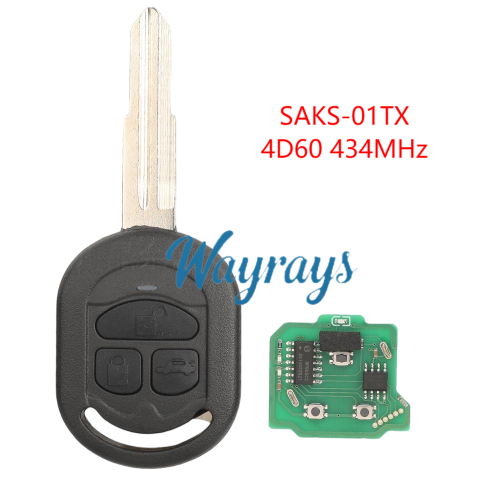
-
 (117#)blade,for 2014 Honda Accord Lingpai origi...US$ 0.32 ~ US$ 0.35
 -
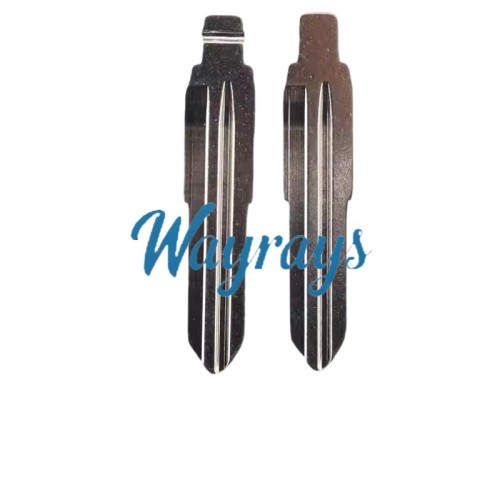 (194#)blade,for Wuling Rongguang RightUS$ 0.32 ~ US$ 0.35
 -

-

-

-

- Help center
- About Us
- Contact Us
- My order
- Change password
- About Shipping
- Shipping Methods
- About Payment
- Payment Methods
- About Return
- Return Policy&Return Method
- Newsletter
Customer Reviews